


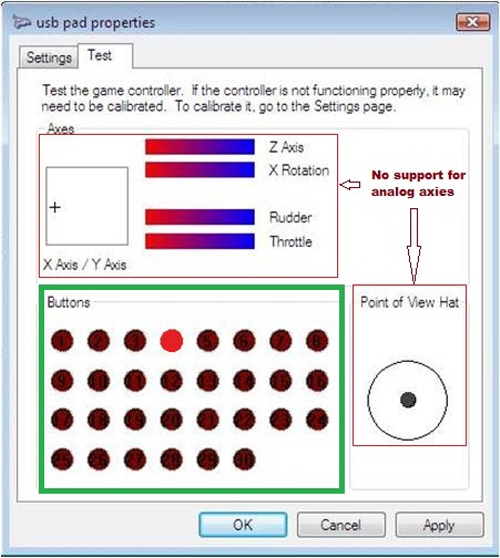
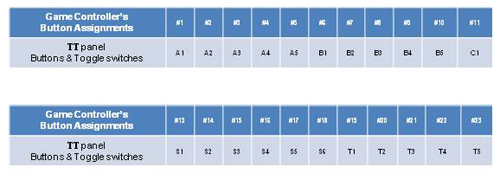
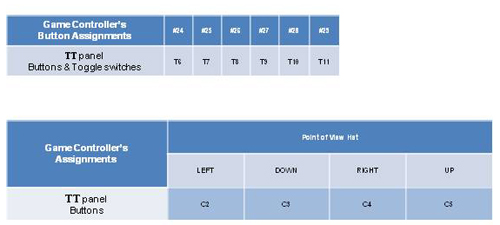
1. Connect the USB cable to your computer. 2. Go to "Control panel" -> "Game controller" 3. Check TT panel is recognized as "VRi Simulation Controller". 4. Click "Properties" -> Test all buttons and toggle switches.

FEATURE:
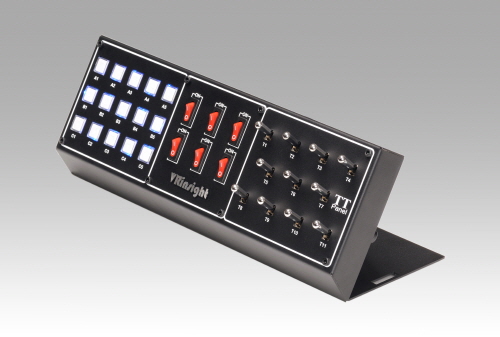
The Toggle & Tact Switch panel enables a user control all functions of most PC software.
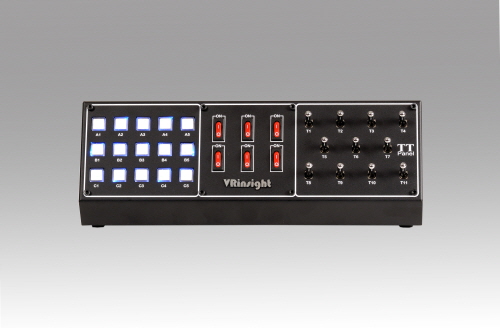
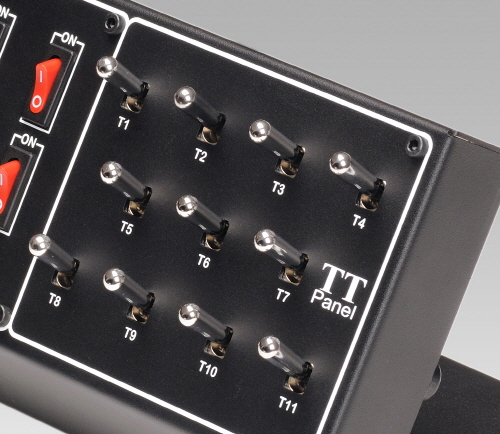
The 15 tact buttons, 6 On/Off switches and 11 toggle switches are all programmable for your software in order to ensure maximum controls.
With simple USB connection, backlit blue LED will illuminate leading a efficient flying in the nighttime.
* Windows XP, Vista, 7, Windows 10
* A compact unit to control any function available from ALL simulators and games capable of handling
digital joystick inputs.
* Plug & Play installation
* No driver required
* Fully programmable directly from your PC software
* Standard USB gaming device with USB 2.0 connection
* Full metal case
* Backlit blue LED
* Many buttons and switches : 15 x tact buttons , 6 x two positions ON/OFF switches ,
11 x two position ON/OFF toggle switches
* Size : 30.5cm (L) x 12.5cm (W) x 11cm (H) / 12 inch (L) x 4.9inch (W) x 4.3 inch (H)
* Weight : 1.5kg
* One year warranty
* Please refer to the video for a sub-brand product, MS Panel:
https://www.youtube.com/watch?v=jk4LNDSdetY&t=4s